Author: Vantedge Frontier Team

  • What your teen will actually build in 12 weeks

    What your teen will actually build in 12 weeks

    When parents hear “digital skills course”, many picture a child copying notes about computers. Our January Digital Creators cohort works differently. Every module ends with something your teen made themselves. Here is what that looks like over 12 weeks.
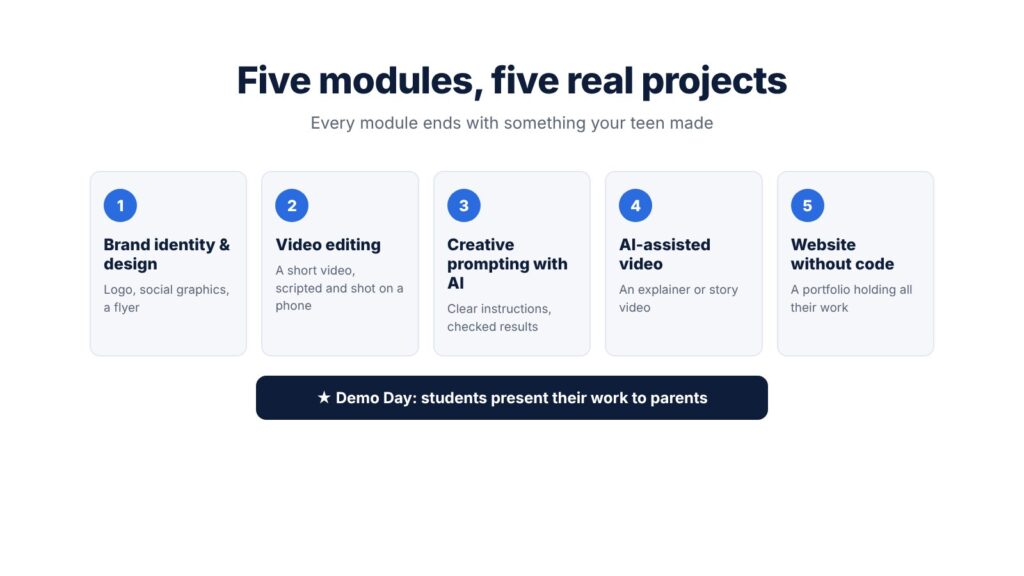
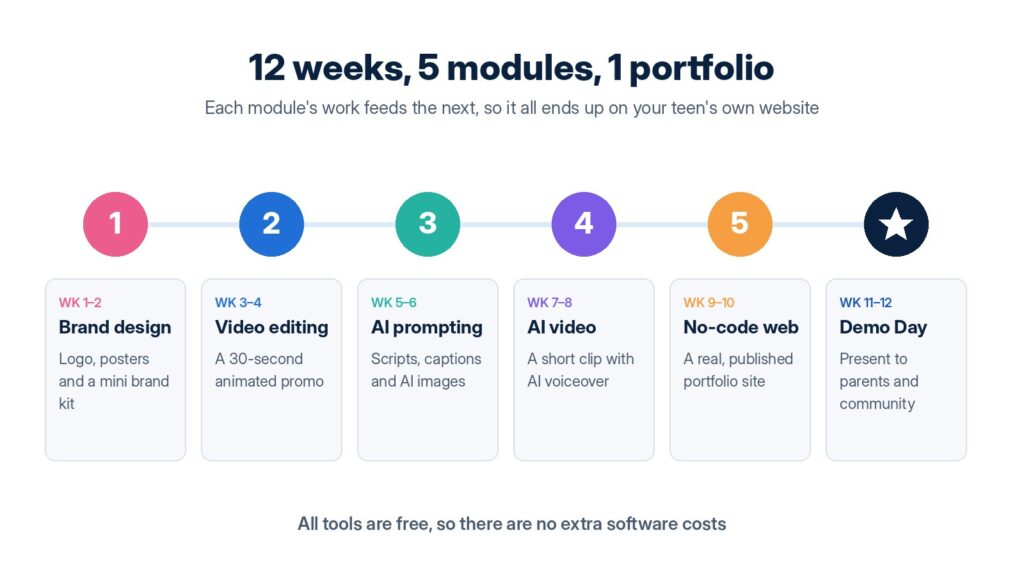
    Five Digital Creators modules, each ending in a real project, followed by Demo Day

    Module 1: Brand identity and graphic design

    Teens learn design basics in Canva: colour, fonts, layout. They create a personal logo, a set of social media graphics and a simple flyer. By the end, they can design something a small business would actually use.

    Module 2: Video editing

    Using CapCut, they learn to cut clips, add music and captions, and edit to a beat. Their project is a short video they script, shoot on a phone and edit.

    Module 3: Creative prompting with AI

    This module teaches how to give AI tools clear instructions to get useful writing and images, and how to check what the AI produces instead of trusting it blindly.

    Module 4: AI-assisted video

    Teens combine their editing skills with AI voice and video tools to make a short explainer or story video.

    Module 5: Building a website without code

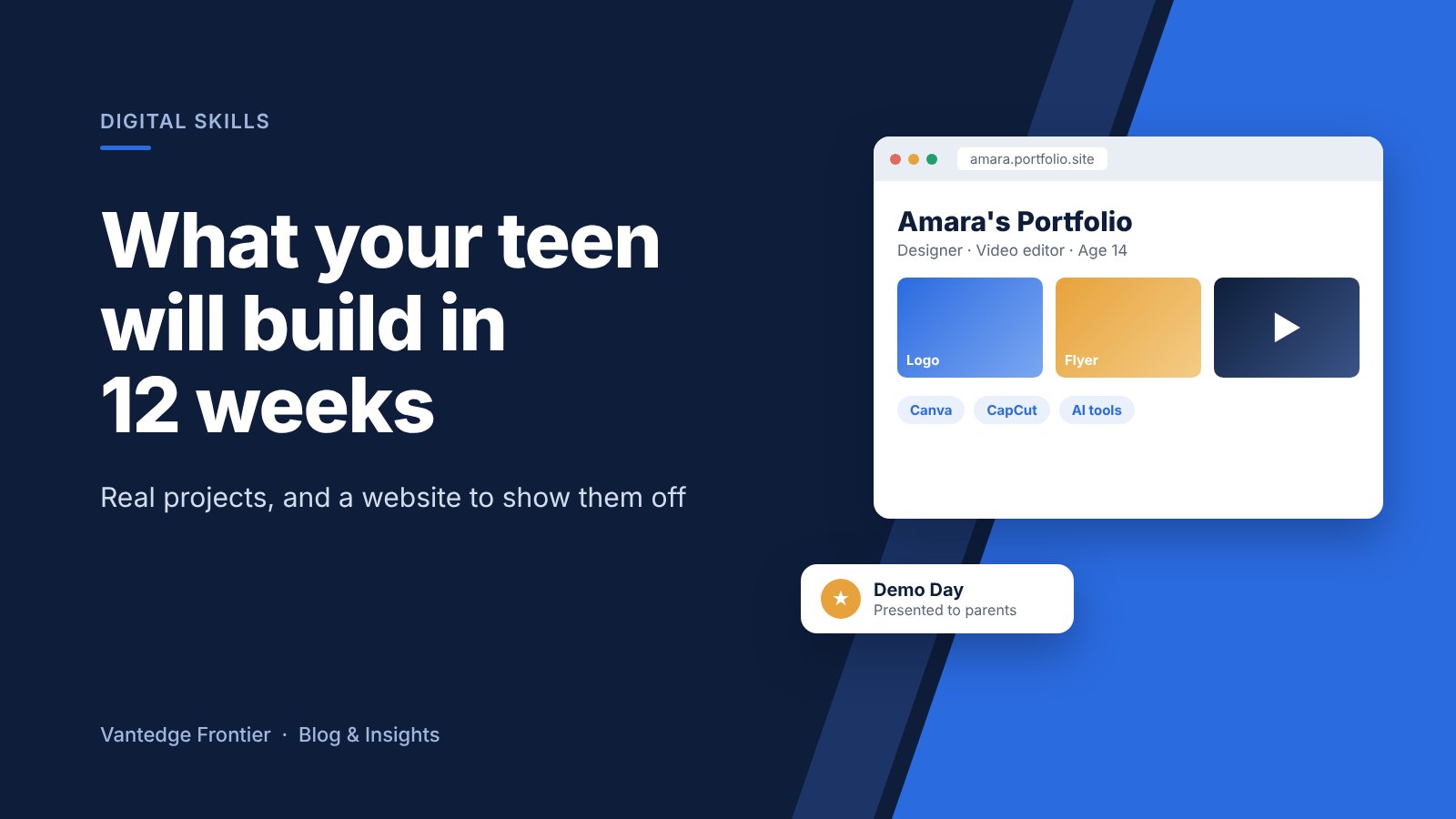
    They build a portfolio website that holds everything they made in the first four modules.

    Demo Day

    The programme ends with a Demo Day where each student presents their work to parents and guests. It’s a proud moment, and good practice for speaking in front of people.

    The practical details
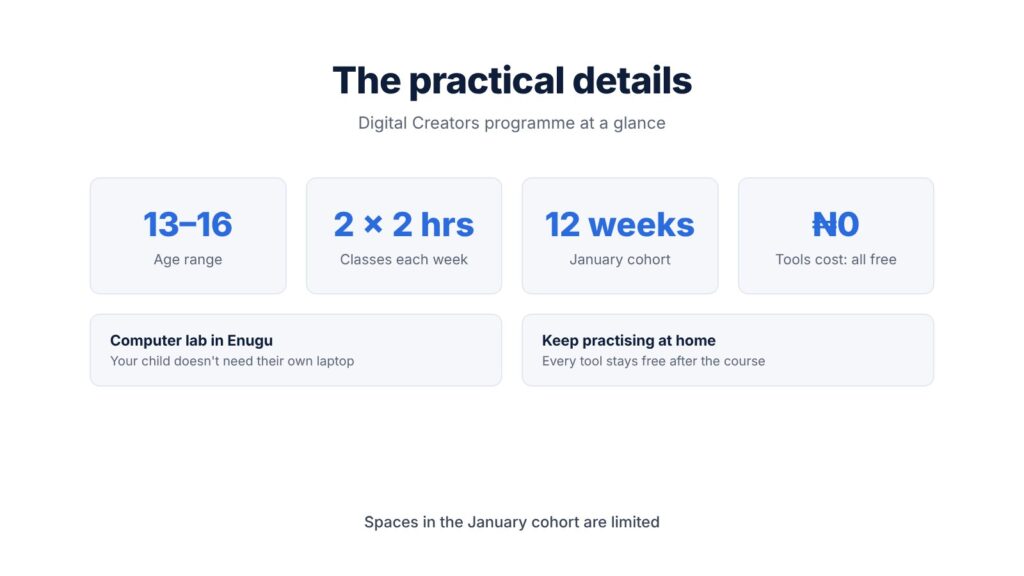
    Digital Creators at a glance: ages 13 to 16, two 2-hour classes a week, 12 weeks, free tools

    The programme is for teens aged 13 to 16. Classes run twice a week for two hours, in a computer lab in Enugu, so your child doesn’t need their own laptop. Every tool we use is free, so they can keep practising at home after the course ends.

    Reserve a place

    Spaces in the January cohort are limited. To reserve a place or ask about the early-bird fee, message us on WhatsApp:

    Vantedge Frontier Ltd: practical technology for schools and businesses.
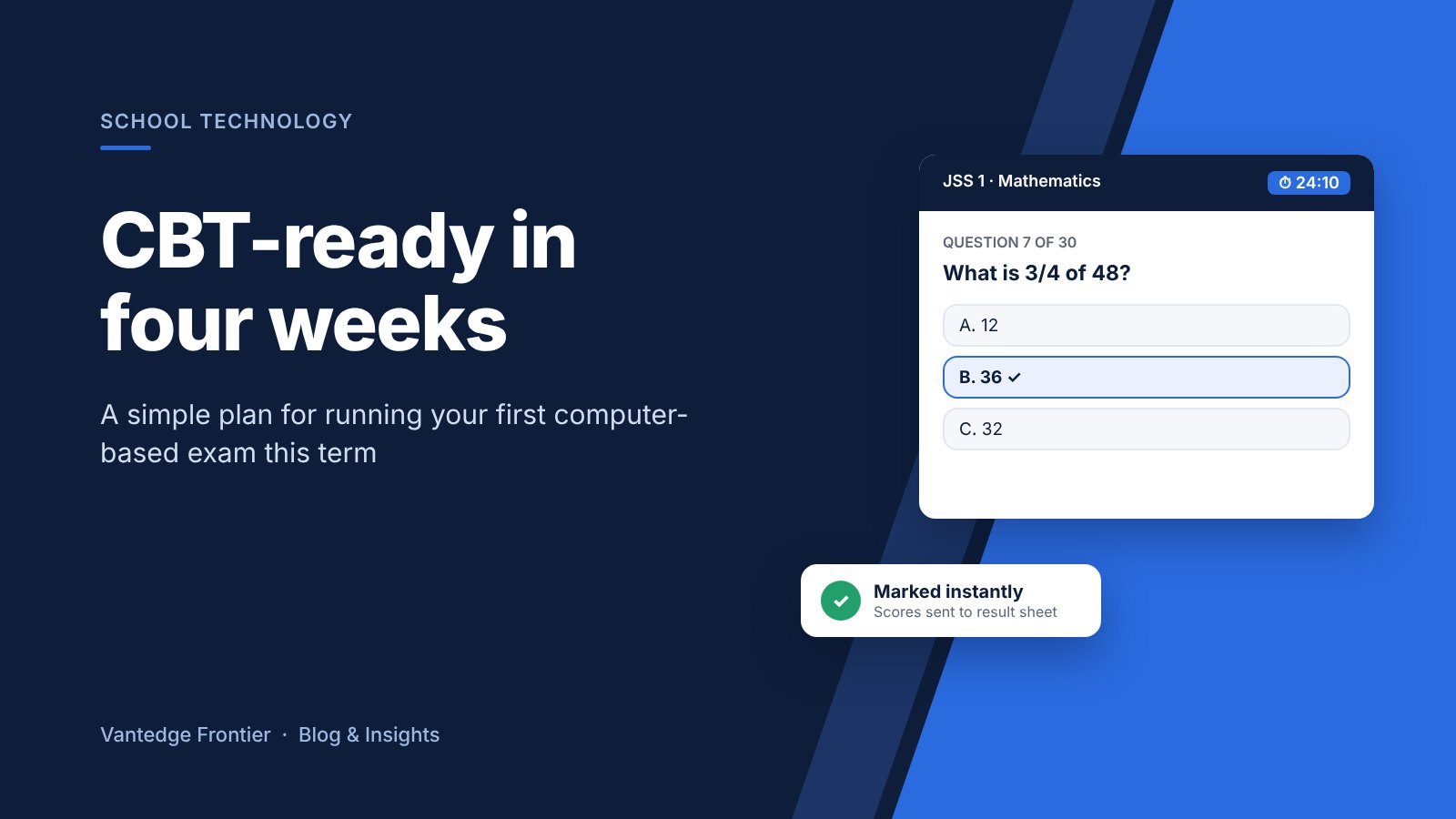
  • Getting your school ready for CBT before first-term exams: a 4-week plan

    Getting your school ready for CBT before first-term exams: a 4-week plan

    Most schools in Enugu write first-term exams in late November or early December. If you have been thinking about computer-based testing, you don’t need to wait for next session. Four weeks is enough to move one or two subjects onto CBT and see how it works for your pupils and teachers.

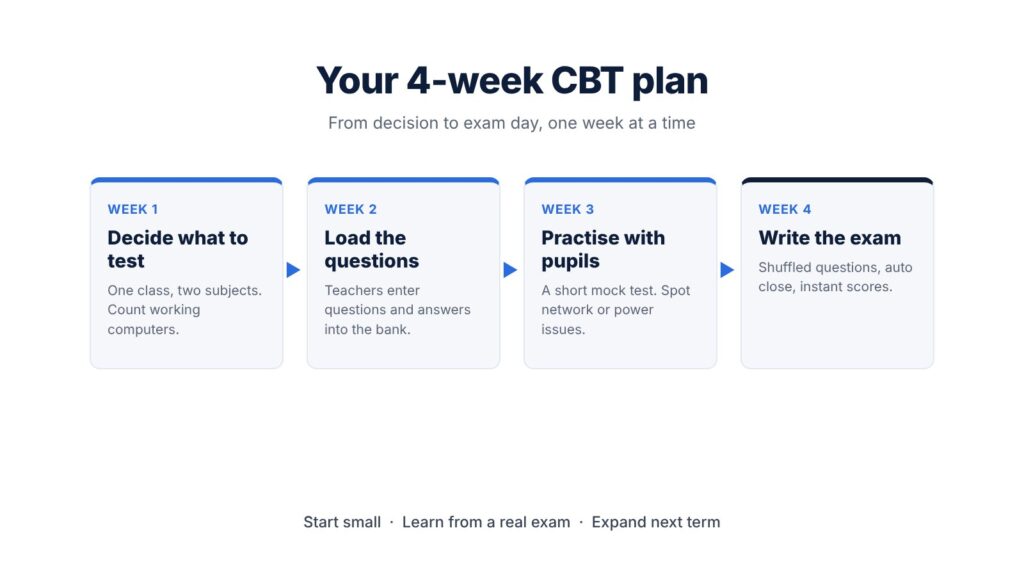
    A four-week CBT plan from choosing subjects to writing the exam

    Week 1: Decide what to test

    Pick a small start. One class and two subjects is plenty, for example JSS 1 Mathematics and English, or Primary 5 General Studies. Objective questions work best for a first run because the system marks them instantly.

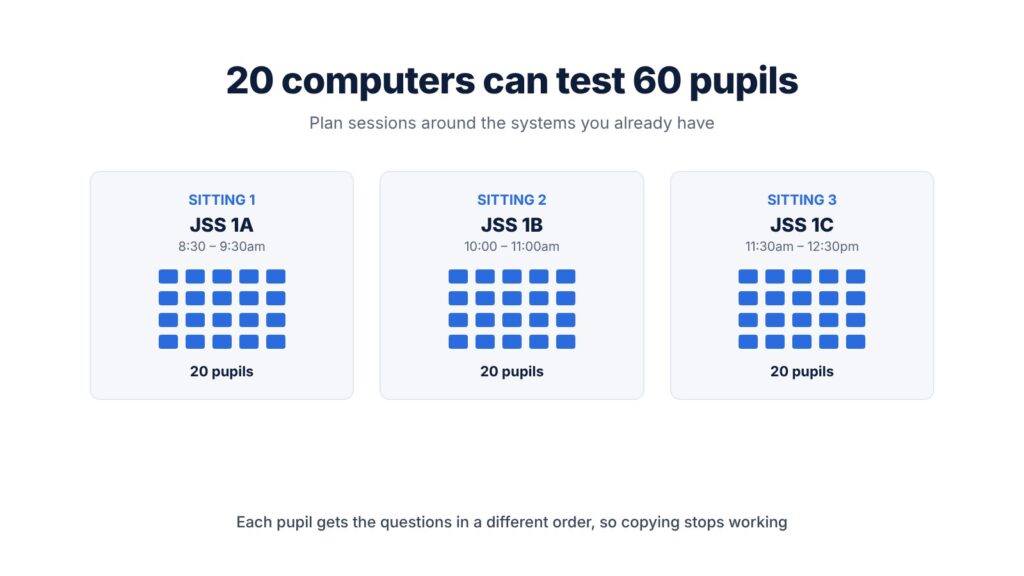
    Check your computer lab too. Count the working systems and plan sessions around them. Twenty computers can still test sixty pupils if you run three sittings.

    Three sittings of 20 pupils each on 20 computers

    Week 2: Load the questions

    Teachers type or upload their questions, options and correct answers. Most teachers already set questions on paper, so this is mostly copying work. Each question goes into a question bank, which means it can be reused and reshuffled in future terms.

    Week 3: Practise with the pupils

    Run a short mock test so pupils get used to logging in, moving between questions and submitting. Children pick this up quickly, often faster than adults. The mock also shows you any network or power problems before the real exam.

    Week 4: Write the exam

    On exam day, each pupil gets the questions in a different order, so copying from a neighbour stops working. When time is up, the test closes on its own. Scores are ready the moment the last pupil submits, and they can flow straight into the result sheet.

    What you get at the end

    Teachers skip hours of marking. You have a clean record of every score. And you will know, from real experience, whether CBT suits your school before you roll it out more widely next term.

    Plan your first CBT exam with us

    We set up CBT for schools in Enugu and nearby, and we train your teachers to run it. Send us a message on WhatsApp and we’ll help you plan your first exam:

    Vantedge Frontier Ltd: practical technology for schools and businesses.
  • 7 Signs Your Business Has Outgrown Spreadsheets (and What to Do Next)

    7 Signs Your Business Has Outgrown Spreadsheets (and What to Do Next)

    Almost every business starts with spreadsheets, and that’s fine. They’re flexible, cheap and familiar. But as your team grows, the same spreadsheet that once saved time starts costing you time, money and sleep.

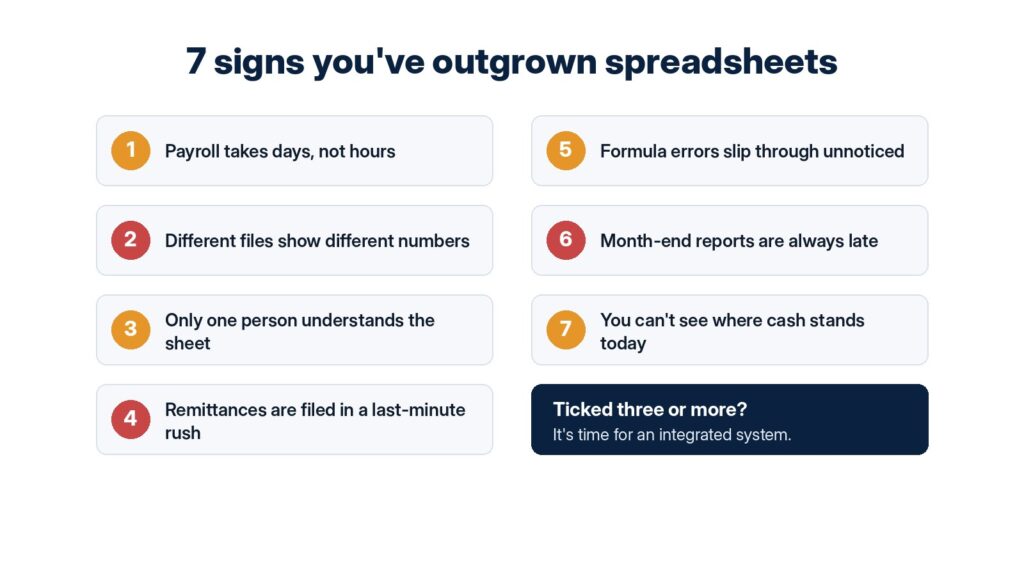
    Here are seven signs it’s time to move your payroll, accounts and tax work into a proper system.

    Seven signs a business has outgrown spreadsheets

    1. Payroll takes days, not hours

    If running salaries means copying figures between sheets, recalculating deductions and checking every row by hand, you are spending far too long on a task that should be routine.

    2. Different files show different numbers

    Payroll says one thing, the accounts say another, and the bank statement says a third. When there’s no single source of truth, every meeting starts with an argument about which figure is right.

    3. Only one person understands the sheet

    If your finance process depends on one person’s complex formulas, your business is at risk whenever that person travels, falls ill or moves on.

    4. Remittances are filed in a last-minute rush

    PAYE, pension and other statutory remittances have deadlines. Missing them can mean penalties. If every deadline feels like an emergency, your system isn’t working for you.

    5. Formula errors slip through unnoticed

    One wrong cell reference can quietly overpay or underpay staff for months. Spreadsheets rarely warn you when something breaks.

    6. Month-end reports are always late

    If management accounts arrive weeks after the month closes, decisions are being made on old information.

    7. You can’t see where cash stands today

    Ask “how much can we spend this week?” If answering takes an afternoon of digging through files, you need better visibility.

    What an integrated system does differently

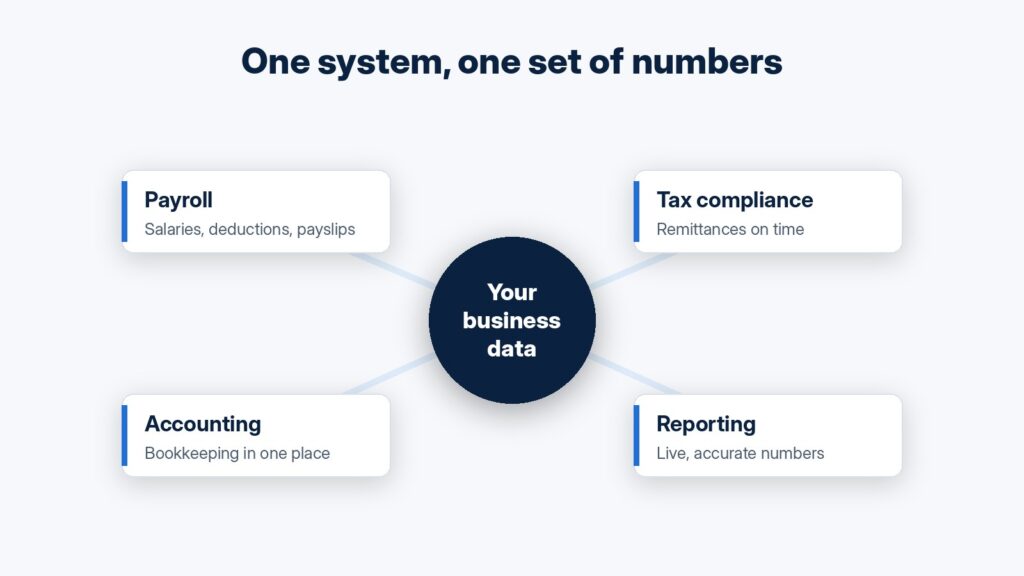
    Payroll, tax compliance, accounting and reporting connected in one system

    An integrated business and financial system connects the pieces that spreadsheets keep separate:

    • Automated payroll: salary runs, deductions and payslips handled on schedule.
    • Tax compliance tools: filings and remittances tracked so they go out on time.
    • Integrated accounting: bookkeeping and reporting tied together in one place.
    • Live financial reporting: clear, current numbers whenever you need them.

    Because everything shares the same data, a figure entered once flows everywhere it is needed. There’s no copying, no version confusion, and far fewer errors.

    How we help

    At Vantedge Frontier, we design and set up business and financial systems for SMEs in Enugu and beyond. Every project follows the same four steps:

    1. Consultation: we start by understanding how your business actually runs.
    2. Scoping: a clear plan, timeline and cost, agreed before any work begins.
    3. Delivery: built, tested and handed over, with your team trained to use it.
    4. Support: we stay reachable after go-live.

    Ticked three or more signs?

    Let’s talk about moving your finance work off spreadsheets. Send us a message on WhatsApp:

    Vantedge Frontier Ltd: practical technology for schools and businesses.
  • Results Day Without the Queues: How Online Result Checking Works for Schools and Parents

    Results Day Without the Queues: How Online Result Checking Works for Schools and Parents

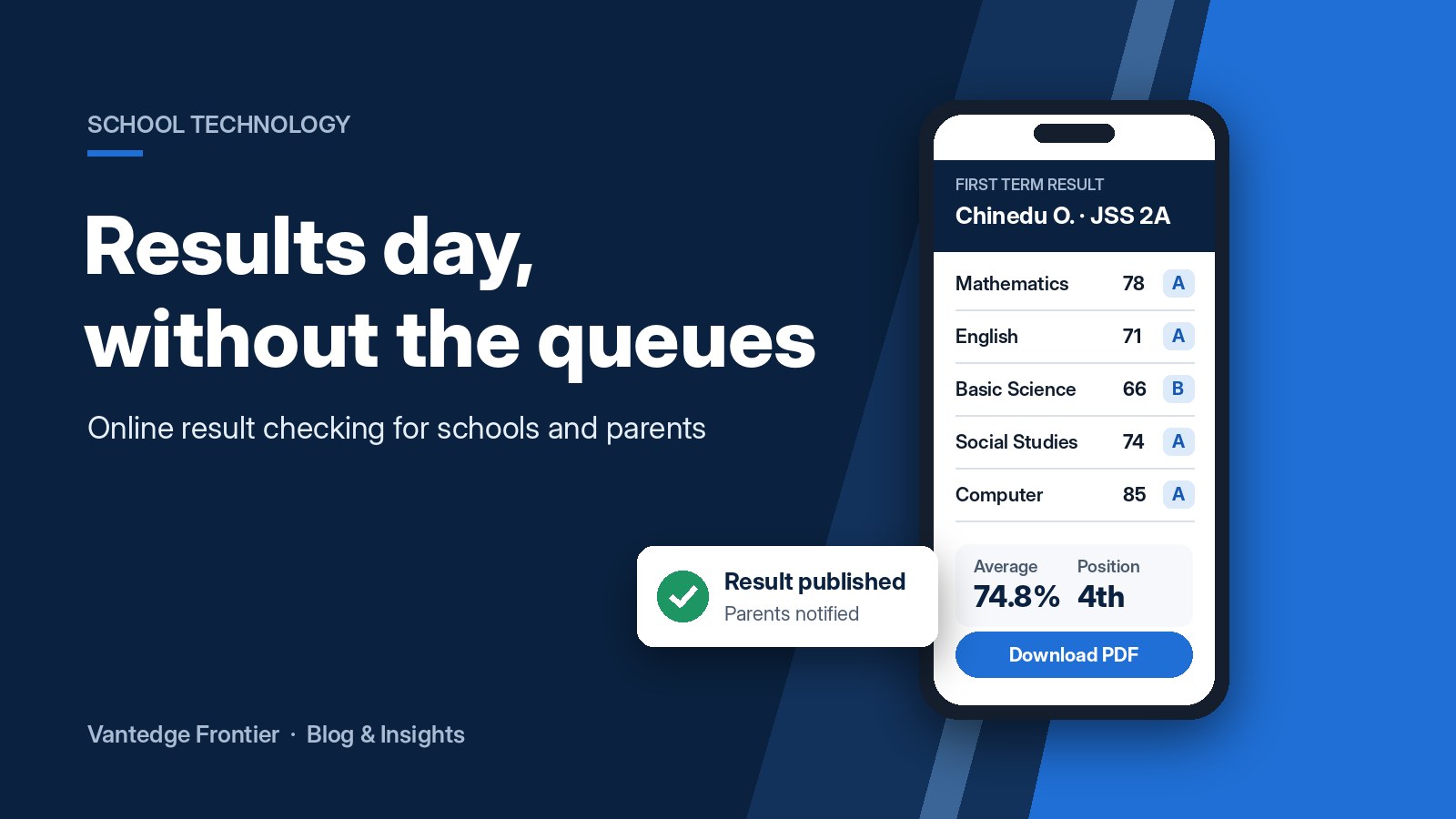
    Every school administrator knows the scene. Results day arrives, and parents line up outside the office waiting for report cards. Some cards go missing. Some have totalling errors that need correcting. Parents who travel or work long hours have to send someone else or wait days to see how their child did.

    Online result delivery fixes this. Parents check their child’s result securely from their phone, the moment the school publishes it.

    What is online result checking?

    With an electronic result delivery system, teachers enter scores into a secure online platform instead of filling report sheets by hand. The system calculates totals, grades, averages and class positions automatically. Once the school approves the results, parents log in with a PIN or password to view and download their child’s report card.

    If your school already uses computer-based testing, objective scores can flow straight into the result system, cutting out even more manual work. (Read our earlier post on why Enugu schools are moving to CBT.)

    How it works

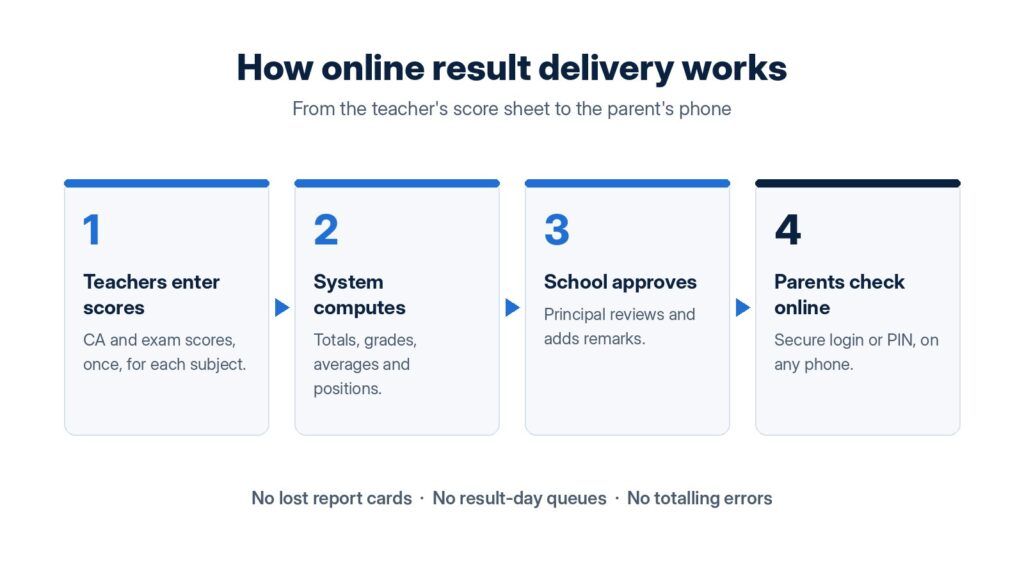
    Four steps of online result delivery from teachers to parents
    1. Teachers enter scores. Continuous assessment and exam scores are entered once for each subject.
    2. The system computes. Totals, grades, averages and positions are calculated automatically, with no calculator and no manual totalling.
    3. The school approves. The principal or head teacher reviews the results and adds remarks before anything goes out.
    4. Parents check online. Parents log in securely from any phone or computer to view, download or print the report card.

    Who benefits?

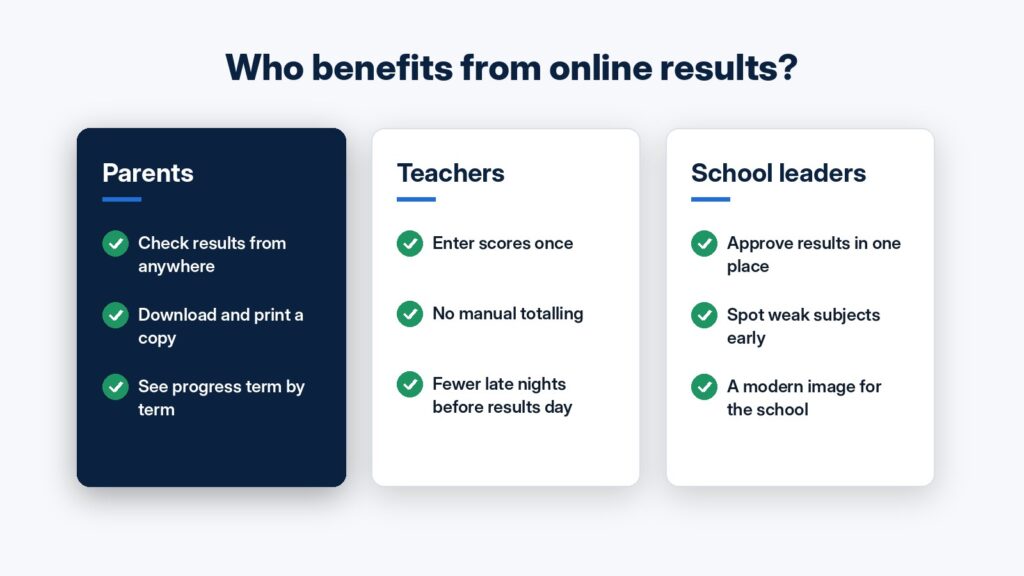
    How parents, teachers and school leaders benefit from online results

    Parents can see results from anywhere, whether at work, travelling or abroad, and keep a digital copy of every term’s report. That makes it easy to follow their child’s progress over time.

    Teachers enter scores once, and the system does the arithmetic. That means fewer errors, fewer corrections and fewer late nights before results day.

    School leaders approve everything in one place, can spot weak subjects or struggling classes early, and present a modern, organised image to parents.

    “What if parents aren’t comfortable with technology?”

    Checking a result is as simple as opening a link and entering a PIN, so it’s easier than most banking apps. Schools can also keep printed copies available for families who prefer them during the switch, so no parent is left behind.

    Is it secure?

    Yes. Each parent can only see their own child’s result. Only authorised staff can enter or change scores, and every result is approved before it is published. That is far safer than report cards passing through many hands.

    Ready to switch for this term?

    Vantedge Frontier sets up and manages electronic result delivery for schools in Enugu and the South-East. We configure the system around your grading format, train your teachers and support you through your first results day.

    Message us on WhatsApp to book a free demo for your school:

    Vantedge Frontier Ltd: practical technology for schools and businesses.
  • From Screen Time to Creator Time: Join Our January Digital Creators Cohort

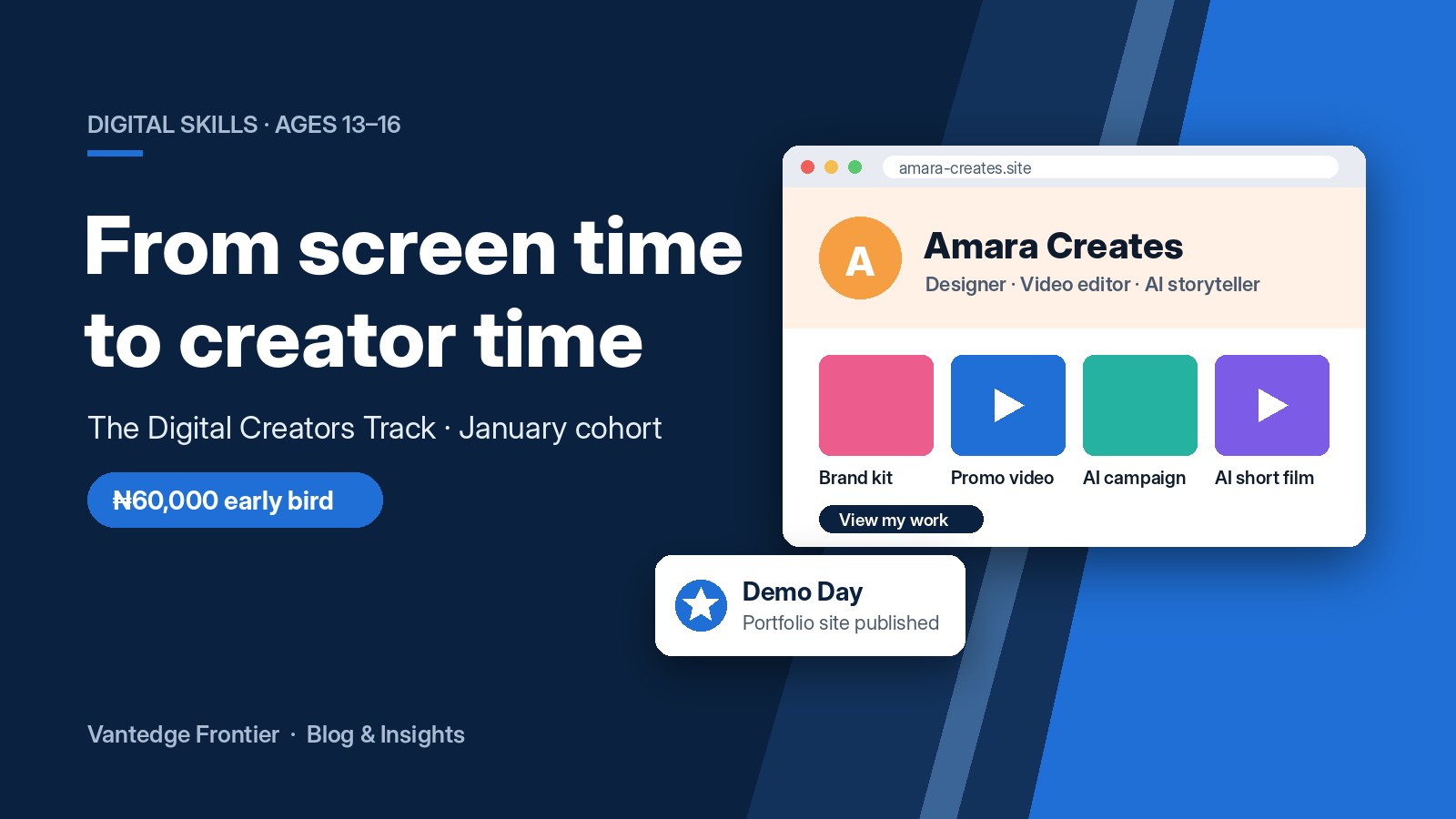
    From Screen Time to Creator Time: Join Our January Digital Creators Cohort

    Most teenagers spend hours every day on TikTok, Instagram and YouTube. They know what a great video looks like. They know which posts get attention. What most of them don’t know yet is how to make that content themselves.

    The Digital Creators Track changes that. It’s a 12-week, hands-on programme for teens aged 13 to 16, and our next cohort starts in January.

    What is the Digital Creators Track?

    It’s a practical course where teens learn the creative and digital skills behind today’s content: design, video, AI and websites. There are no long lectures. Every class is about making something real.

    By the end, every student has built and published their own portfolio website showing off everything they created, and presents it live to parents and the community at Demo Day.

    What your teen will learn

    The five modules of the Digital Creators Track over 12 weeks
    1. Brand identity and graphic design (weeks 1–2). Logos, posters and social media graphics. Each student builds their own mini brand kit.
    2. Video editing and dynamic cuts (weeks 3–4). Bringing the brand to life with a 30-second animated promo video.
    3. Creative prompt engineering (weeks 5–6). Learning to direct AI, not just consume it: writing scripts and captions and creating AI-generated campaign images.
    4. AI-assisted video production (weeks 7–8). A short “wow factor” clip combining AI visuals, animation and an AI voiceover.
    5. No-code web creation (weeks 9–10). Building and publishing a real portfolio website to host all their work.
    6. Demo Day (weeks 11–12). Polishing the portfolio and presenting it to parents and guests.

    Each module builds on the one before, so nothing is wasted. The brand kit from week 1 shows up in the video, the AI campaign and finally on the website.

    Why this matters for your child

    • Skills that are in demand. Design, video and AI are used in almost every career today, from marketing and media to business and tech.
    • Confidence and creativity. Teens learn to plan a project, solve problems and present their work in public.
    • Something real to show. Instead of a certificate for attendance, each student leaves with a live website they can share with schools, scholarship panels and future employers.
    • Healthier screen time. The same devices they already love become tools for creating, not just scrolling.

    Programme at a glance

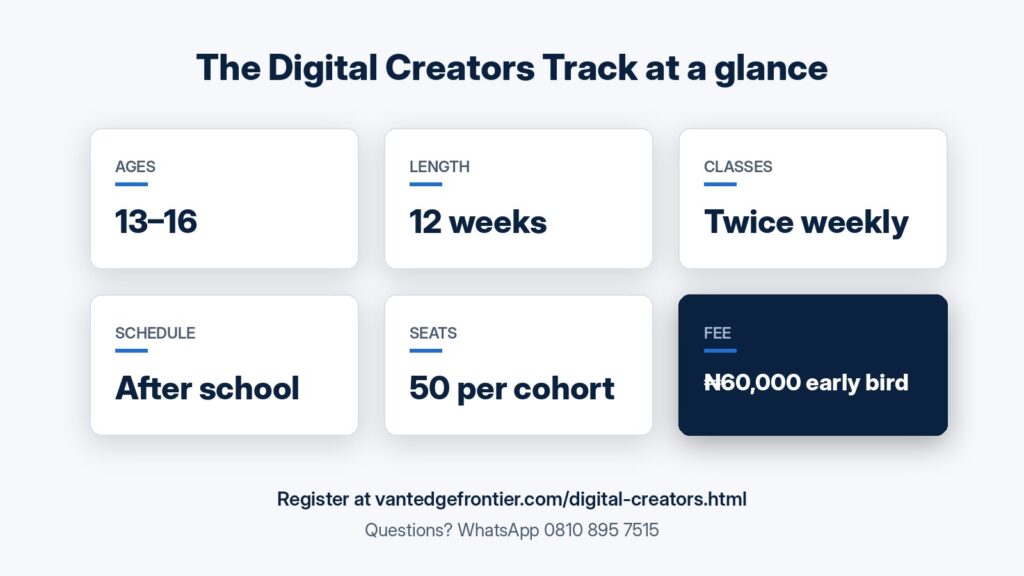
    Digital Creators Track key facts: ages 13 to 16, 12 weeks, twice weekly, 50 seats, 60,000 naira early bird
    • Ages: 13–16
    • Length: 12 weeks, starting January
    • Classes: twice a week, after school (no weekends)
    • Location: Enugu
    • Seats: 50 per cohort
    • Fee: ₦60,000 early bird
    • Software: all tools used are free, so there are no extra software costs for parents

    Reserve a seat for January

    Seats are limited to 50 per cohort, and the early-bird fee won’t last. Register your teen today:

    Vantedge Frontier Ltd: practical technology for schools and businesses.
  • Can’t Be There in Person? How Event Livestreaming Brings Everyone Together

    Can’t Be There in Person? How Event Livestreaming Brings Everyone Together

    Think about your last big family event. How many people wanted to be there but couldn’t? An uncle in London, cousins in Abuja, a friend who couldn’t get leave from work, an elderly relative who couldn’t travel.

    Today, nobody has to miss out. With a professional livestream, your event can be watched live on Facebook and YouTube from anywhere in the world, on a phone, laptop or smart TV.

    Events we livestream

    • Weddings and engagements: let relatives abroad watch the vows and the celebration live.
    • Burials and memorial services: help family members who can’t travel say goodbye.
    • Birthdays, child dedications and house openings: share your milestones with everyone who matters.
    • Church programmes and conferences: reach members and guests beyond the hall.
    • Business launches, AGMs and training sessions: bring in stakeholders and staff from other locations.

    Why go professional instead of “just using a phone”?

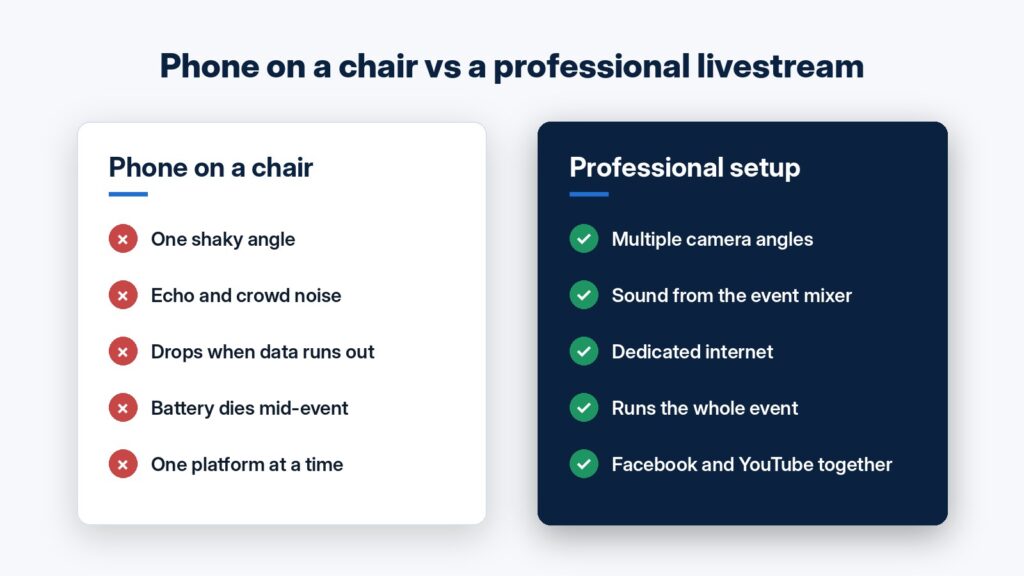
    A phone propped on a chair can work for a quick video call, but a big event deserves better. With a professional setup, you get:

    Comparison of a phone livestream and a professional livestream setup
    1. Clear picture from multiple angles. Dedicated cameras and a video mixer let viewers see the key moments, not the back of someone’s head.
    2. Good sound. Audio is the first thing online viewers complain about. We connect directly to the event’s sound system so speeches and music come through clearly.
    3. A stable stream. We bring dedicated internet and transmitters, so the stream doesn’t depend on whoever’s phone has data.
    4. Streaming to Facebook and YouTube at the same time. Guests can watch on whichever platform they use most.
    5. A recording to keep. After the event, you have the full video to watch again and share.

    Zoom hosting for meetings and hybrid events

    Not every event is a public stream. For board meetings, interviews, trainings and hybrid conferences, we can host and run your Zoom session for you. That covers setting up the meeting, managing participants, switching cameras in the room and keeping things running smoothly, so you can focus on your agenda.

    Equipment rental

    Already have a team but need the gear? We rent out media equipment by the day, including cameras, transmitters and video mixers, so you have everything you need for a smooth production.

    How to book

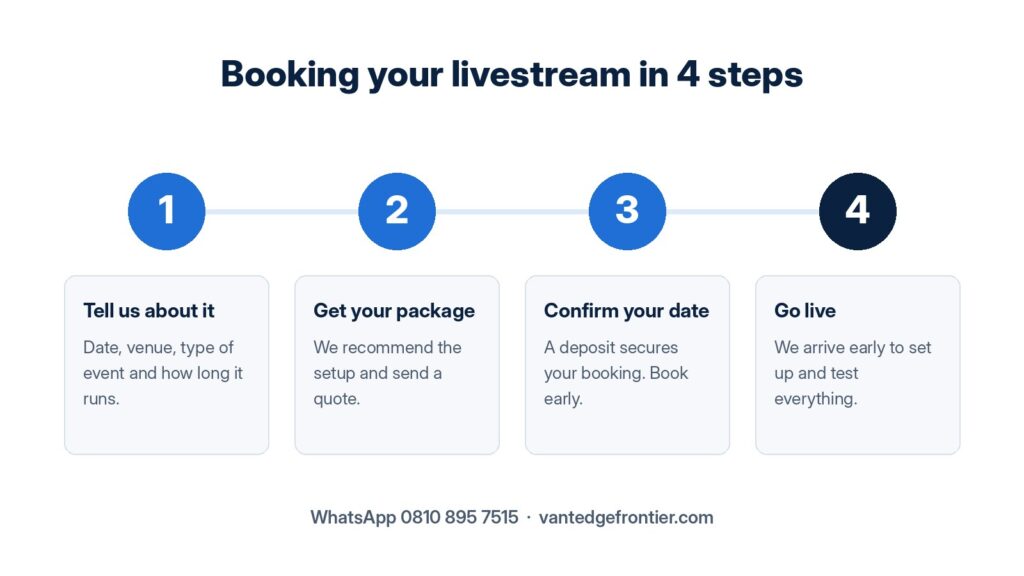
    Four steps to book an event livestream
    1. Tell us about your event: the date, venue, type of event and roughly how long it will run.
    2. Get your package: we recommend the right setup and send you a quote. Transport to the venue is agreed separately, based on the location.
    3. Confirm your date: a deposit secures your booking. Popular dates fill up quickly, especially in December, so book early.
    4. Enjoy your day: our team arrives early to set up and test everything before guests arrive.

    Planning an event? Let’s make sure no one misses it.

    Send us a message on WhatsApp with your event date and venue, and we’ll get back to you with a recommended package:

    Vantedge Frontier Ltd: practical technology for schools and businesses.
  • Why Enugu Schools Are Moving to Computer-Based Testing (and How to Start This Term)

    Why Enugu Schools Are Moving to Computer-Based Testing (and How to Start This Term)

    Every term, schools across Enugu go through the same routine: typing and photocopying question papers, guarding them until exam day, marking thousands of scripts by hand, totalling scores and then compiling report sheets one by one. It takes weeks. Mistakes slip in. Parents wait.

    Computer-Based Testing (CBT) changes that.

    What is CBT?

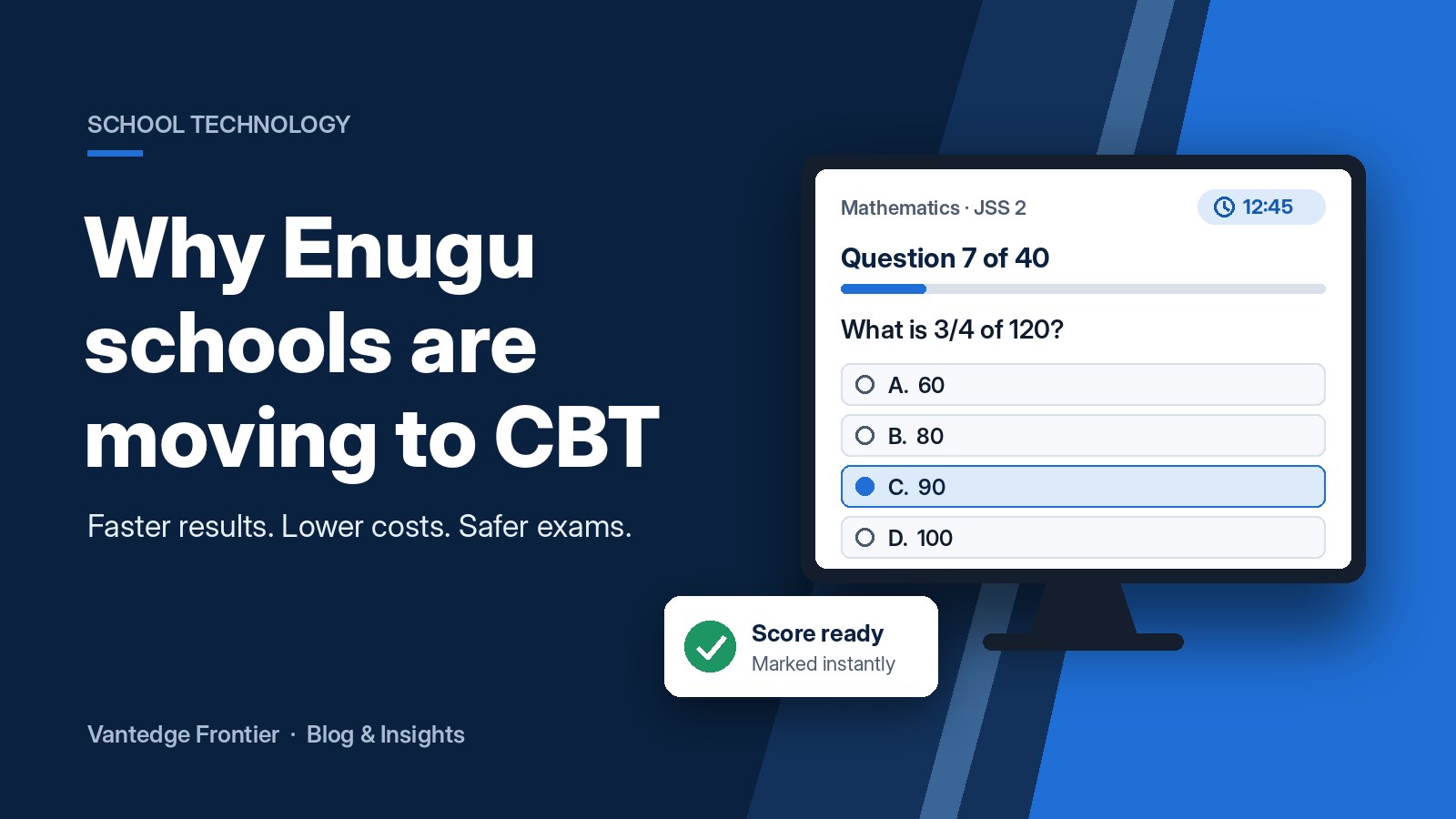
    In CBT, students take exams on a computer or tablet instead of on paper. Questions are set once in the system, students answer on screen and objective questions are marked automatically the moment the exam ends. Combined with electronic result delivery, those scores flow straight into report sheets that parents can view online.

    Your students already know this format. JAMB’s UTME is fully computer-based, so practising CBT in school builds the confidence they need on the day that matters.

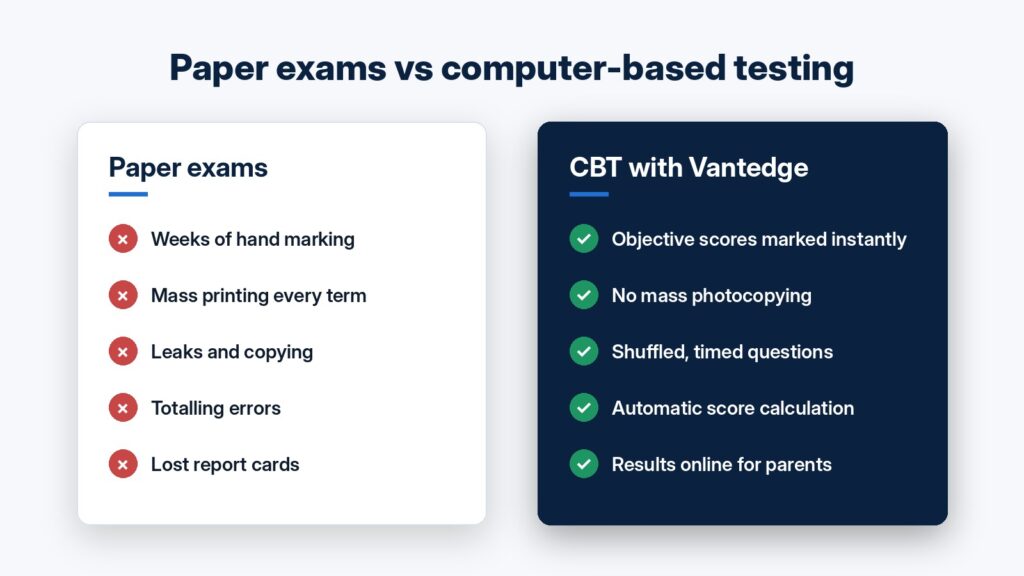
    Comparison of paper exams and computer-based testing

    Five benefits for your school

    1. Faster results. Objective questions are scored instantly. Teachers can spend their time on theory questions, teaching and student follow-up instead of piles of scripts.
    2. Lower printing costs. There’s no mass photocopying of question papers every term. The savings add up quickly for a school with several classes.
    3. Better exam security. Questions can be shuffled for each student and timed automatically, which makes copying and leaked papers much less of a problem.
    4. Accurate, organised records. Scores are calculated and stored by the system, which removes totalling errors and makes past results easy to find.
    5. Happier parents. With online result delivery, parents can check their child’s results securely from their phone, with no lost report cards and no long queues on result day.

    “But we don’t have enough computers”

    This is the most common worry, and it shouldn’t stop you. Exams can run in batches, with classes taking turns on the same set of computers. Many schools start small, with one subject, one class or just weekly tests, then expand once staff and students are comfortable.

    How to get started

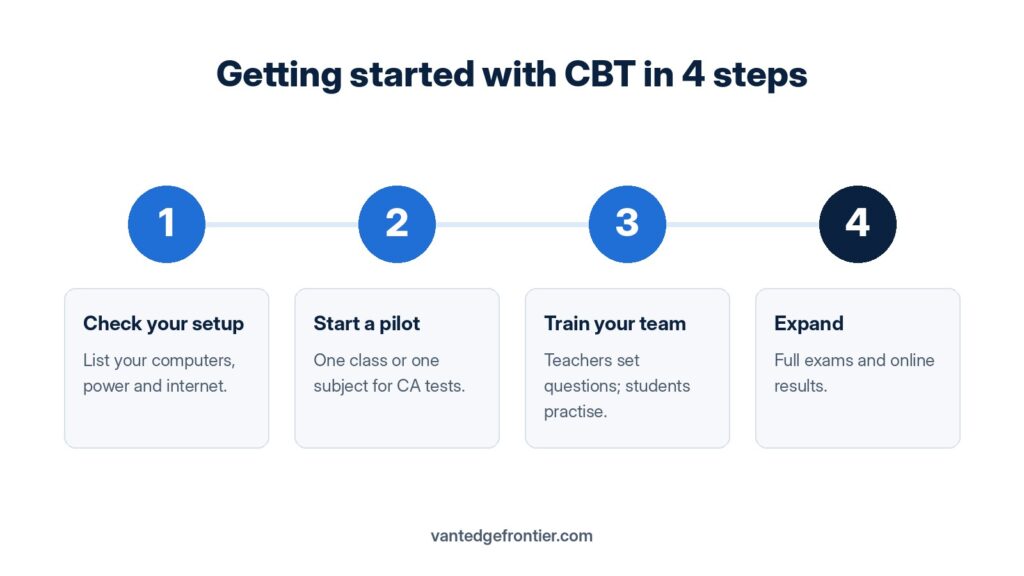
    Four steps to start computer-based testing in your school
    1. Check your setup. List the computers, laptops or tablets you already have and how reliable your power and internet are.
    2. Start with a pilot. Choose one class or one subject for continuous assessment tests this term.
    3. Train your team. Teachers learn to set and upload questions, and students get a short practice session before the real test.
    4. Expand. Move on to full exams and online result delivery once the pilot runs smoothly.

    How Vantedge Frontier can help

    At Vantedge Frontier Ltd, we provide a School CBT and Electronic Result Delivery Platform built for schools in Enugu and the South-East. We set it up for you, train your teachers and support you through your first exams, so the change is smooth for staff, students and parents.

    Ready to see how it works? Book a free demo for your school:

    Vantedge Frontier Ltd: practical technology for schools and businesses.