Category: School Technology

  • Getting your school ready for CBT before first-term exams: a 4-week plan

    Getting your school ready for CBT before first-term exams: a 4-week plan

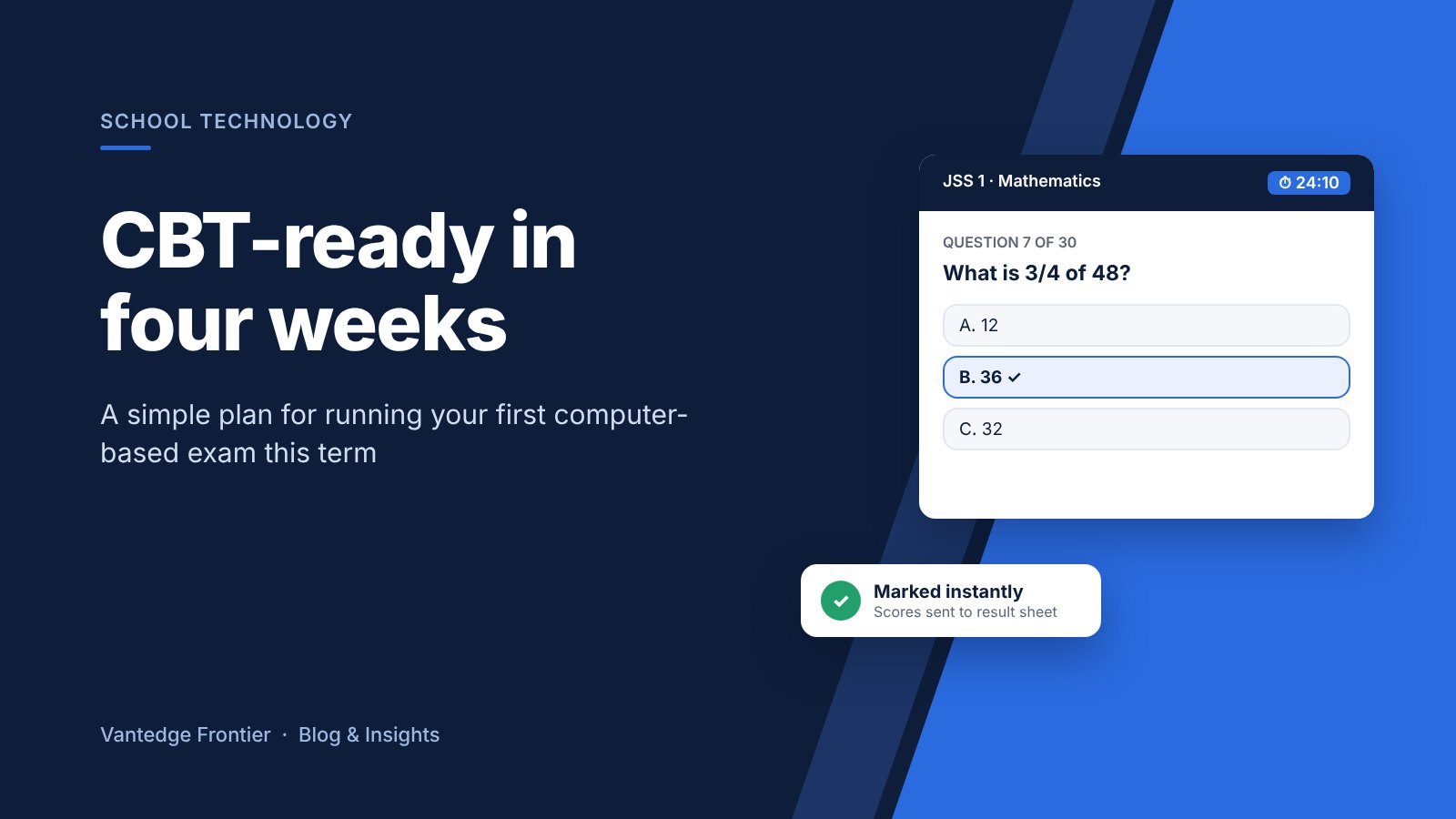
    Most schools in Enugu write first-term exams in late November or early December. If you have been thinking about computer-based testing, you don’t need to wait for next session. Four weeks is enough to move one or two subjects onto CBT and see how it works for your pupils and teachers.
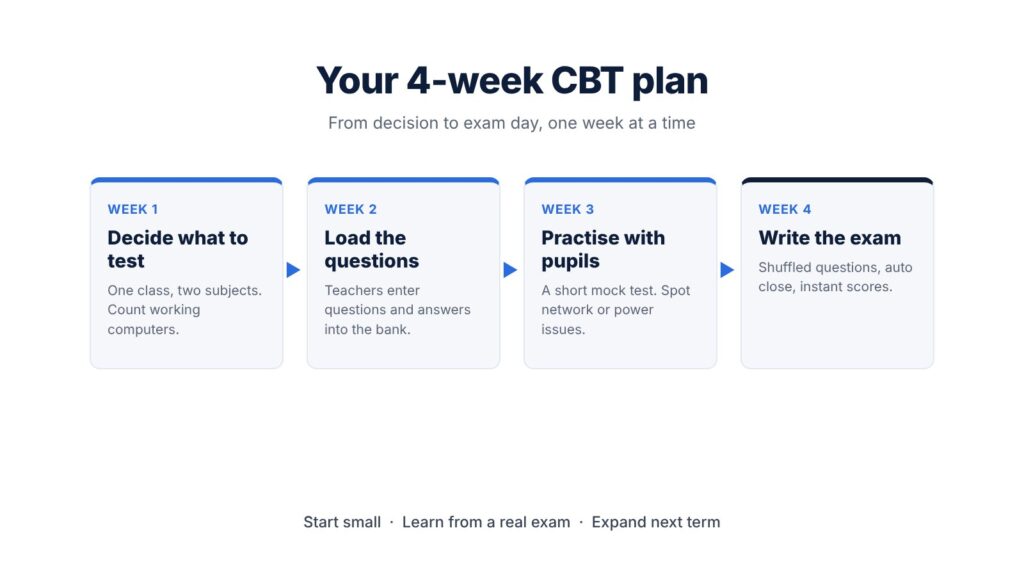
    A four-week CBT plan from choosing subjects to writing the exam

    Week 1: Decide what to test

    Pick a small start. One class and two subjects is plenty, for example JSS 1 Mathematics and English, or Primary 5 General Studies. Objective questions work best for a first run because the system marks them instantly.

    Check your computer lab too. Count the working systems and plan sessions around them. Twenty computers can still test sixty pupils if you run three sittings.
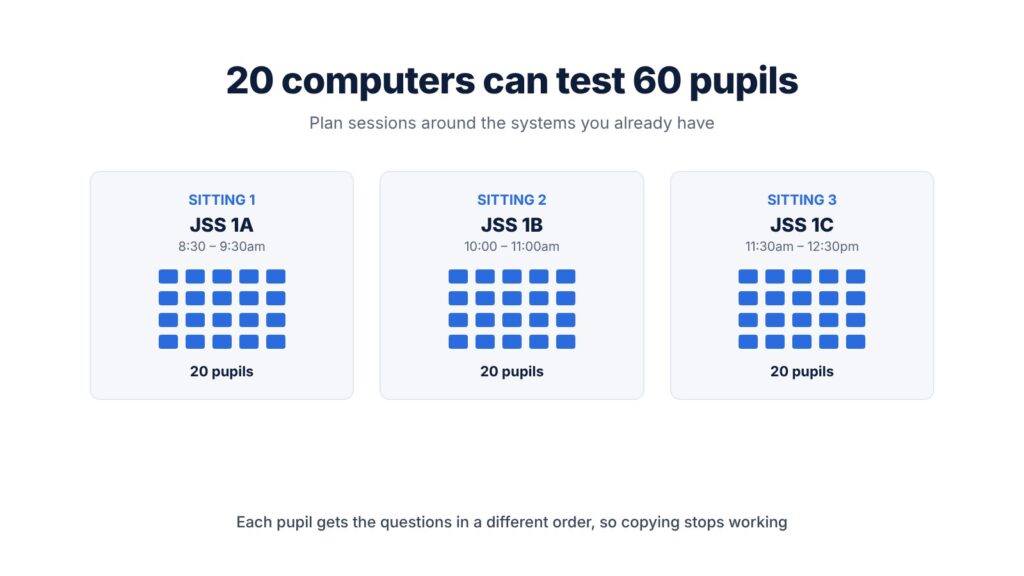
    Three sittings of 20 pupils each on 20 computers

    Week 2: Load the questions

    Teachers type or upload their questions, options and correct answers. Most teachers already set questions on paper, so this is mostly copying work. Each question goes into a question bank, which means it can be reused and reshuffled in future terms.

    Week 3: Practise with the pupils

    Run a short mock test so pupils get used to logging in, moving between questions and submitting. Children pick this up quickly, often faster than adults. The mock also shows you any network or power problems before the real exam.

    Week 4: Write the exam

    On exam day, each pupil gets the questions in a different order, so copying from a neighbour stops working. When time is up, the test closes on its own. Scores are ready the moment the last pupil submits, and they can flow straight into the result sheet.

    What you get at the end

    Teachers skip hours of marking. You have a clean record of every score. And you will know, from real experience, whether CBT suits your school before you roll it out more widely next term.

    Plan your first CBT exam with us

    We set up CBT for schools in Enugu and nearby, and we train your teachers to run it. Send us a message on WhatsApp and we’ll help you plan your first exam:

    Vantedge Frontier Ltd: practical technology for schools and businesses.
  • Results Day Without the Queues: How Online Result Checking Works for Schools and Parents

    Results Day Without the Queues: How Online Result Checking Works for Schools and Parents

    Every school administrator knows the scene. Results day arrives, and parents line up outside the office waiting for report cards. Some cards go missing. Some have totalling errors that need correcting. Parents who travel or work long hours have to send someone else or wait days to see how their child did.

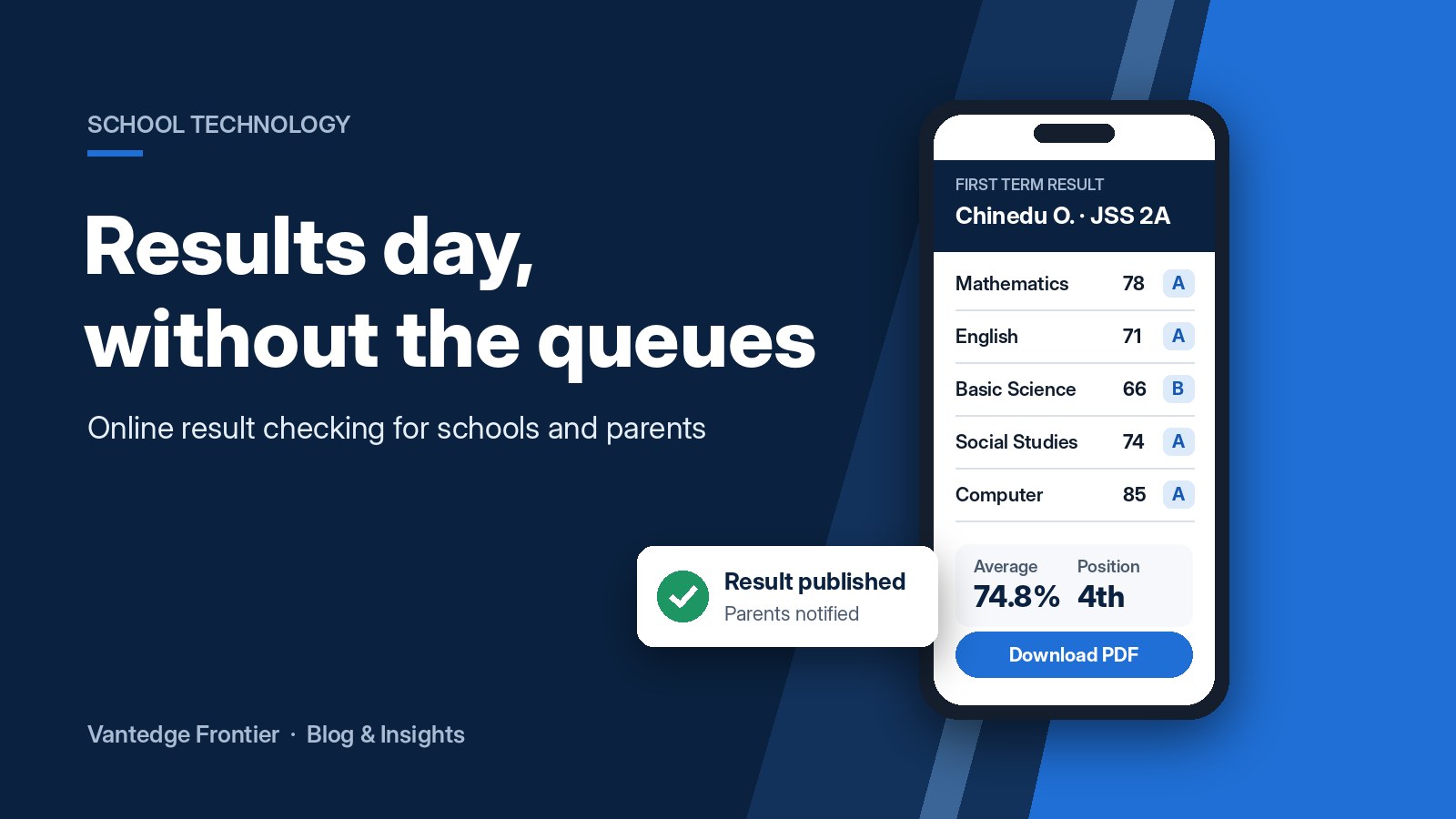
    Online result delivery fixes this. Parents check their child’s result securely from their phone, the moment the school publishes it.

    What is online result checking?

    With an electronic result delivery system, teachers enter scores into a secure online platform instead of filling report sheets by hand. The system calculates totals, grades, averages and class positions automatically. Once the school approves the results, parents log in with a PIN or password to view and download their child’s report card.

    If your school already uses computer-based testing, objective scores can flow straight into the result system, cutting out even more manual work. (Read our earlier post on why Enugu schools are moving to CBT.)

    How it works

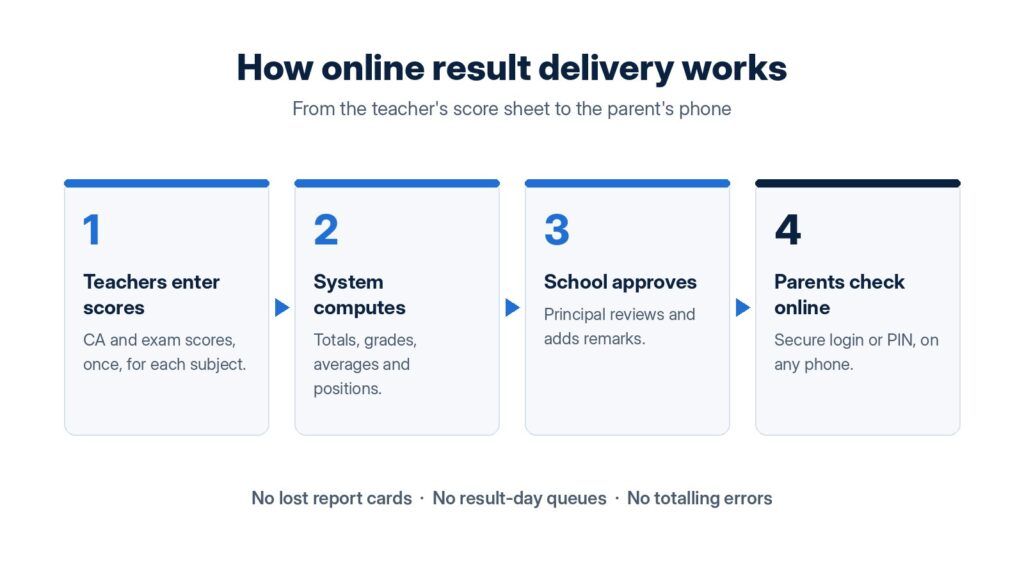
    Four steps of online result delivery from teachers to parents
    1. Teachers enter scores. Continuous assessment and exam scores are entered once for each subject.
    2. The system computes. Totals, grades, averages and positions are calculated automatically, with no calculator and no manual totalling.
    3. The school approves. The principal or head teacher reviews the results and adds remarks before anything goes out.
    4. Parents check online. Parents log in securely from any phone or computer to view, download or print the report card.

    Who benefits?

    How parents, teachers and school leaders benefit from online results

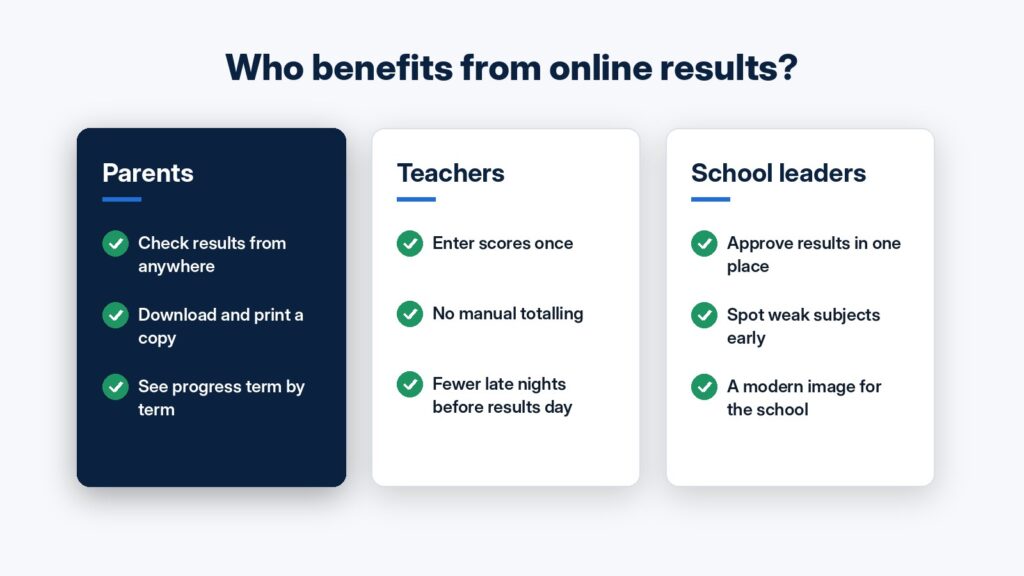
    Parents can see results from anywhere, whether at work, travelling or abroad, and keep a digital copy of every term’s report. That makes it easy to follow their child’s progress over time.

    Teachers enter scores once, and the system does the arithmetic. That means fewer errors, fewer corrections and fewer late nights before results day.

    School leaders approve everything in one place, can spot weak subjects or struggling classes early, and present a modern, organised image to parents.

    “What if parents aren’t comfortable with technology?”

    Checking a result is as simple as opening a link and entering a PIN, so it’s easier than most banking apps. Schools can also keep printed copies available for families who prefer them during the switch, so no parent is left behind.

    Is it secure?

    Yes. Each parent can only see their own child’s result. Only authorised staff can enter or change scores, and every result is approved before it is published. That is far safer than report cards passing through many hands.

    Ready to switch for this term?

    Vantedge Frontier sets up and manages electronic result delivery for schools in Enugu and the South-East. We configure the system around your grading format, train your teachers and support you through your first results day.

    Message us on WhatsApp to book a free demo for your school:

    Vantedge Frontier Ltd: practical technology for schools and businesses.
  • Why Enugu Schools Are Moving to Computer-Based Testing (and How to Start This Term)

    Why Enugu Schools Are Moving to Computer-Based Testing (and How to Start This Term)

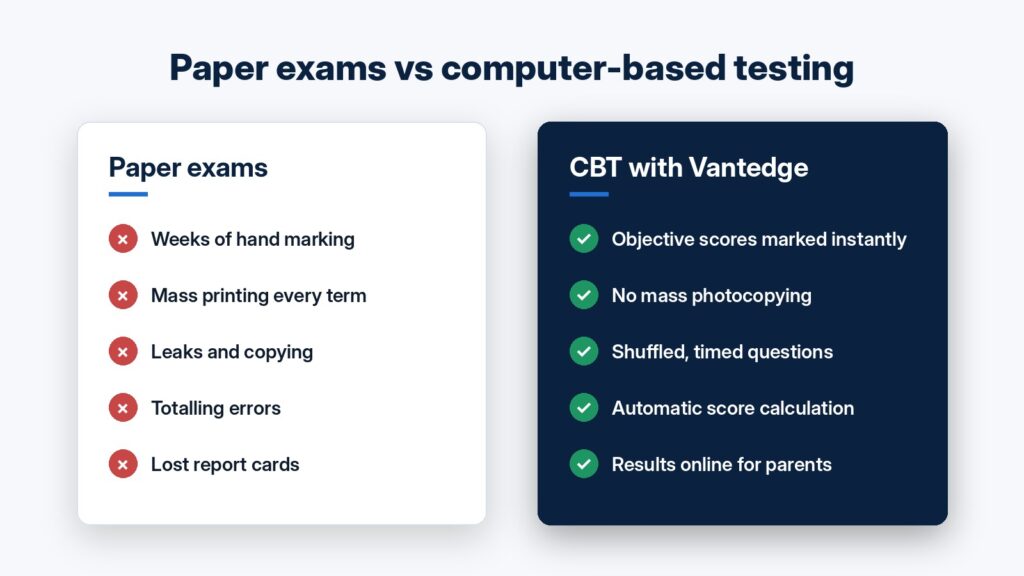
    Every term, schools across Enugu go through the same routine: typing and photocopying question papers, guarding them until exam day, marking thousands of scripts by hand, totalling scores and then compiling report sheets one by one. It takes weeks. Mistakes slip in. Parents wait.

    Computer-Based Testing (CBT) changes that.

    What is CBT?

    In CBT, students take exams on a computer or tablet instead of on paper. Questions are set once in the system, students answer on screen and objective questions are marked automatically the moment the exam ends. Combined with electronic result delivery, those scores flow straight into report sheets that parents can view online.

    Your students already know this format. JAMB’s UTME is fully computer-based, so practising CBT in school builds the confidence they need on the day that matters.

    Comparison of paper exams and computer-based testing

    Five benefits for your school

    1. Faster results. Objective questions are scored instantly. Teachers can spend their time on theory questions, teaching and student follow-up instead of piles of scripts.
    2. Lower printing costs. There’s no mass photocopying of question papers every term. The savings add up quickly for a school with several classes.
    3. Better exam security. Questions can be shuffled for each student and timed automatically, which makes copying and leaked papers much less of a problem.
    4. Accurate, organised records. Scores are calculated and stored by the system, which removes totalling errors and makes past results easy to find.
    5. Happier parents. With online result delivery, parents can check their child’s results securely from their phone, with no lost report cards and no long queues on result day.

    “But we don’t have enough computers”

    This is the most common worry, and it shouldn’t stop you. Exams can run in batches, with classes taking turns on the same set of computers. Many schools start small, with one subject, one class or just weekly tests, then expand once staff and students are comfortable.

    How to get started

    Four steps to start computer-based testing in your school
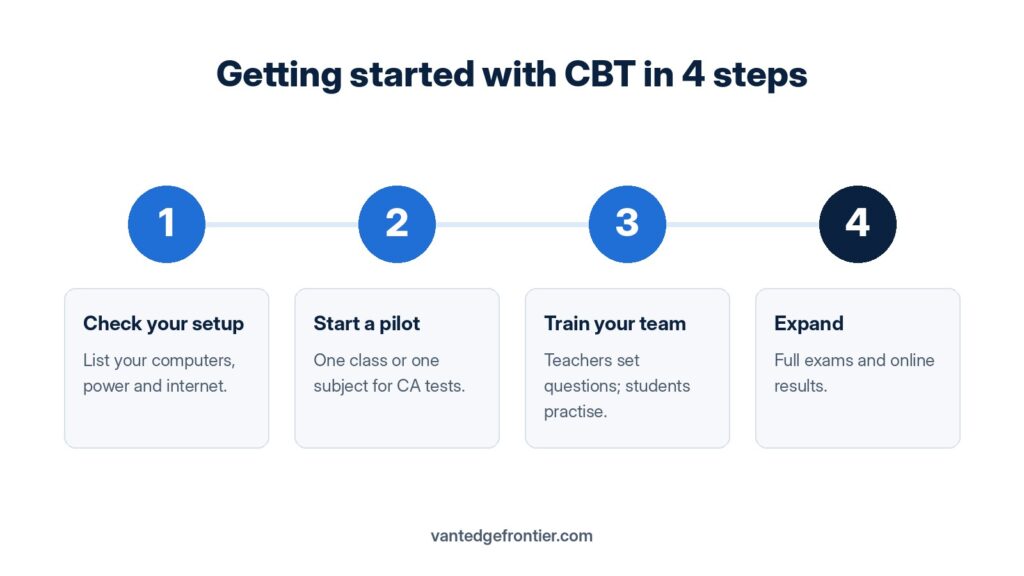
    1. Check your setup. List the computers, laptops or tablets you already have and how reliable your power and internet are.
    2. Start with a pilot. Choose one class or one subject for continuous assessment tests this term.
    3. Train your team. Teachers learn to set and upload questions, and students get a short practice session before the real test.
    4. Expand. Move on to full exams and online result delivery once the pilot runs smoothly.

    How Vantedge Frontier can help

    At Vantedge Frontier Ltd, we provide a School CBT and Electronic Result Delivery Platform built for schools in Enugu and the South-East. We set it up for you, train your teachers and support you through your first exams, so the change is smooth for staff, students and parents.

    Ready to see how it works? Book a free demo for your school:

    Vantedge Frontier Ltd: practical technology for schools and businesses.